
How to Create a No-Signup Chat Room for Study Meetups and Lightning Talks
Need a place for questions and conversation just for the day? Hosting a one-off event that doesn't warrant inviting everyone to Slack? These are familiar challenges for study meetup and lightning talk organizers. This guide shows you how to use IchiGoChat to set up a temporary event chat room without creating an account.

Why no-signup chat works well for events
A chat room for a study meetup or lightning talk event has different needs from an ongoing LINE group or Slack workspace.
- No app installation or registration for attendees: Even someone who drops in on the day should be able to join simply by opening a URL.
- A natural end when the event is over: A permanent group means extra cleanup, such as asking people to leave or deleting the group.
- Basic access controls for a room full of strangers: You want to limit who can join without having to invite every attendee individually.
A no-signup chat room meets all three needs. Attendees can join through a shared URL or QR code, posting stops when the room expires, and a password helps keep uninvited visitors out.
Create a room in three steps
1. Choose a room name and nickname
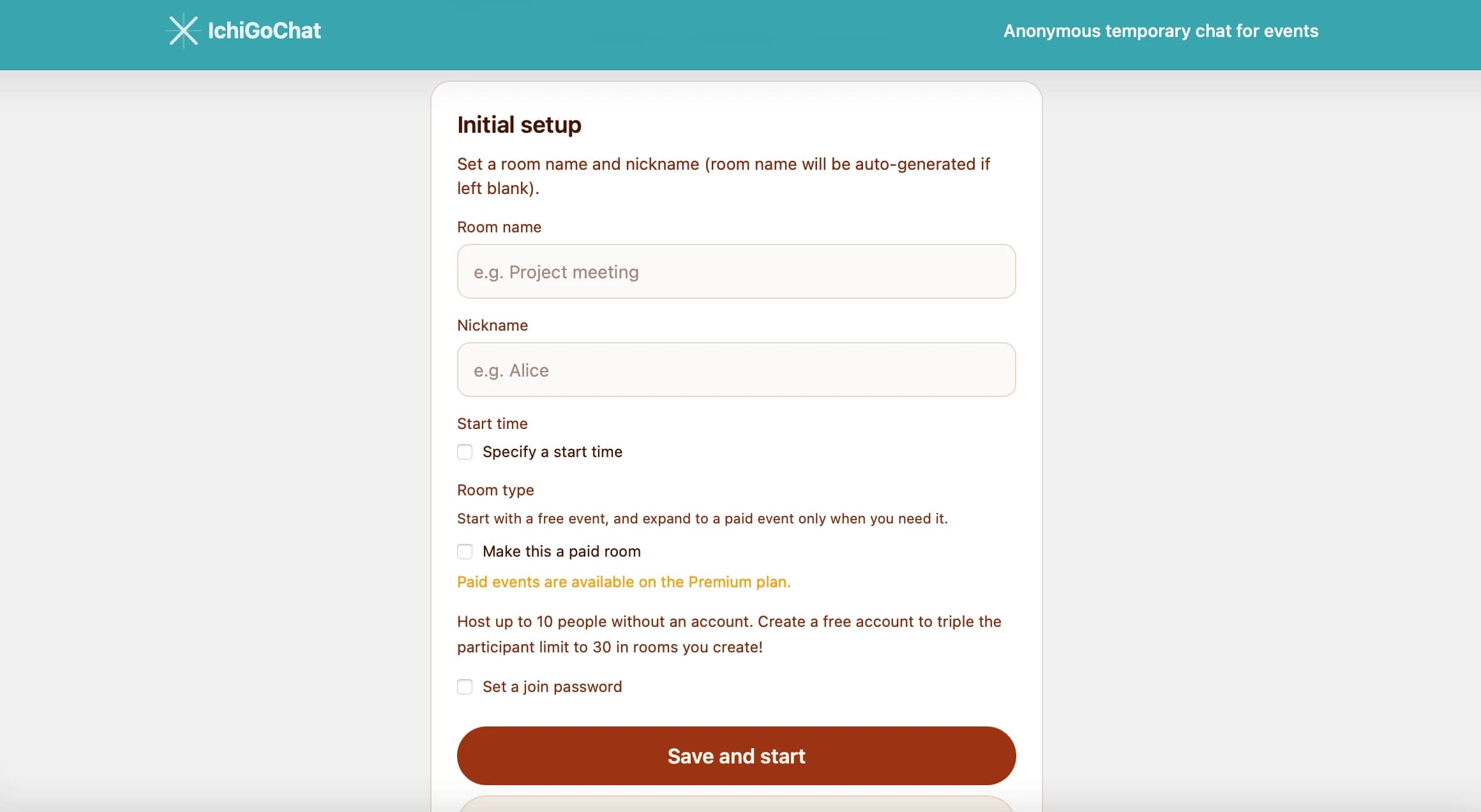
On the room creation page, enter a room name, such as “Study Meetup: Questions & Chat,” and your nickname. No account registration is required: you can become the room owner anonymously, right in your browser.
2. Set the conditions for your event
The following settings are especially useful for event organizers.
- Scheduled start: Set the room to open automatically shortly before the event. You can share the URL the day before and have attendees wait until the scheduled start time.
- Participant limit: Allow up to 10 people without registering, or up to 30 with an account. You can also choose a lower limit to match your venue's capacity.
- Room password: Use a password when you want to restrict access to attendees who receive it at the venue or through the event page.
3. Share the URL and QR code
Once your room is ready, you get a shareable URL and QR code. Put the QR code on your final slide, event page, or reception signage so attendees can scan it with their phone's camera to join.

Managing the room during and after the event
- Rooms have an expiry time, after which no new messages can be posted. If your event runs longer than expected, you can pay to extend the room: 90 minutes for $2, 180 minutes for $3, or 360 minutes for $5 (USD).
- Room owners on the Premium plan can also lock entry and mute participants. These controls can help manage disruptive behavior or limit who can speak during a Q&A session.
- File attachments are supported too, so attendees can share links to materials and post questions with images in the same conversation.
Other ways to use your room
- Collect questions during a livestream: Display the QR code on screen and bring viewers' questions into the room.
- Keep the conversation going after an in-person event: Leave the room open for a while as a casual alternative to an after-party.
- Give each event in a series a fresh start: Create a new room each time so previous conversations don't carry over into the next session.
What to check when choosing a no-signup chat service
Services described as “no signup required” can work quite differently. For an event, checking the following points can help you avoid surprises.
| What to check | Why it matters |
|---|---|
| Participant limit | Some services are designed for small groups and may not fit everyone at your meetup. |
| Scheduled start | Can you share the URL the day before and have the room open on the day of the event? |
| Passwords and access controls | If you post the link on a public event page, anyone may be able to join. |
| Pricing | Check what is included for free and what it costs to extend the room or accommodate more participants. |
Wrap-up
For most study meetups and lightning talk events, a temporary room with a shareable URL is all you need for questions and conversation. IchiGoChat lets you schedule a start time, set a participant limit, and add a password without registering, making it a practical option for a chat room just for the day.
Try creating a room for questions and conversation at your next meetup.